





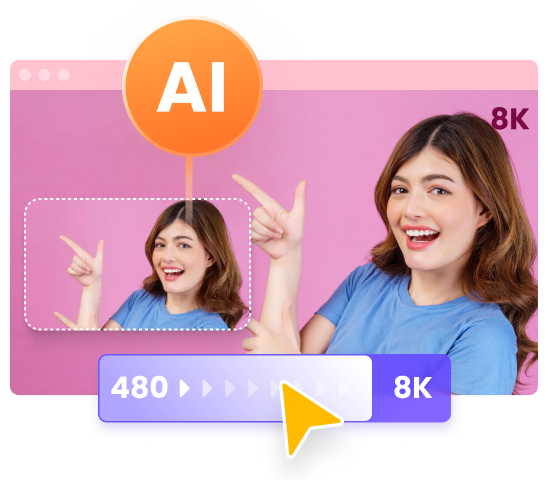
6 Best Video Quality Enhancer Online Free No Watermark
High-definition videos are now the standard, but many of us still have older or low-resolution clips that need an upgrade. A video quality enhancer online free no watermark can rescue blurry footage, sharpen details, and breathe new life into your memories all within your browser and without leaving unsightly logos on your final exports. In this guide, we'll explore six leading web-based enhancers. These AI video enhancer free no watermark no sign up services can intelligently upscale videos, reduce noise, and enhance details all in your browser.
Best AI Video Enhancer No watermark Free Download
For anything that needs consistent, watermark-free, high-resolution output (4K/8K), batch jobs, or professional-quality restoration, download HitPaw VikPea and try watermark-free 4K/8K enhancements now.




Part 1: Best Video Quality Enhancer Online Free No Watermark
These six tools let you enhance video clarity and resolution without paying a cent or dealing with watermarks. Follow our step-by-step walkthroughs and learn each free version's limits.
1. HitPaw 4K Video Enhancer Online Free
HitPaw 4K Video Enhancer Online delivers fast AI upscaling to 4K, making it one of the easiest video quality enhancer online free no watermark options. No account is required. Simply upload, choose your AI model, and download the enhanced clip. Whether you have home videos or social media reels, HitPaw's clear interface speeds up your workflow and produces impressively sharp details and accurate colors.
1.Upload your video or select a provided sample to preview AI upscaling.

2.Choose from five AI enhancement models and click Preview to adjust settings.
3.Select the model that best fits your footage's needs.
4.Click Download to save your high-quality video in MP4, MOV, MKV, M4V, AVI, and more.
Limitations of the Free Version:
- Maximum file size capped at 500 MB
- Up to two free conversions per day
2. Vmake AI Video Enhancer Online
Vmake AI brings a complete video quality enhancer online free no watermark experience. Beyond resolution boost, it auto-adjusts brightness, contrast, saturation, and sharpness. The intuitive interface guides you through smart enhancements so you can focus on creativity rather than technical tweaks. No registration is needed for short clips, making it ideal for quick social media upgrades.
1.Visit Vmake and click Upload to select your video file.
2.Let the AI auto-apply enhancement options like brightness and sharpness.
3.Preview the processed clip directly in your browser.
4.Choose your desired format and clip length, then save to your device.
Limitations of the Free Version:
- Supports videos up to 2 minutes only
- Batch processing locked behind a paywall
- Exports limited to 1080p resolution
3. Fotor Upscale Video to 4K Online
Fotor Upscale Video to 4K Online() instantly transforms MP4, MOV, or WebM clips into stunning 4K footage. As a video quality enhancer online free no watermark, it focuses on sharpness and color fidelity. The one-click process and lightweight interface make it perfect for users who need fast results without diving into advanced settings or software installations.
1.Upload a supported video file (MP4, MOV, WebM).
2.Click Generate Preview to let AI convert your clip to 4K.
3.Wait a few moments as the system processes your video.
4.Download the upscaled 4K version directly to your computer.
Limitations of the Free Version:
- Limited to two free upscales per day
- Queue wait times during peak hours
- Preview output restricted to 720p quality
4. Flixier AI Video Enhancer
Flixier pairs an advanced video quality enhancer online free no watermark with built-in editing capabilities. AI-driven noise reduction, sharpening, and color correction can be applied automatically or tweaked manually. Integration with Google Drive and Dropbox speeds up media import, while direct social sharing simplifies your publishing workflow.
1.Upload videos or import from Google Drive, Dropbox, or other cloud sources.
2.Click the Enhance button for automatic AI improvements or open the editor for manual sliders.
3.Preview your enhanced footage within the project timeline.
4.Click Export to download or post directly to social media and cloud drives.
Limitations of the Free Version:
- Exports limited to 720p resolution
- Monthly export time capped at 10 minutes total
- Advanced filters and effects require subscription
5. Cutout.pro AI Video Enhancer
Cutout.pro offers a robust video quality enhancer online free no watermark featuring 2K and 4K upscaling, motion smoothing, deinterlacing, and stabilization. The web interface is clean and easy to navigate, simply upload, let the AI work, and download. Social sharing links are generated automatically for swift distribution of your enhanced clips.
1.In Cutout.pro's navigation, find and open AI Video Enhancer.
2.Upload the video file you want to improve.
3.Wait for the AI to process and upscale your footage.
4.Download the enhanced video or copy the share link for social media.
Limitations of the Free Version:
- Maximum video length of 1 minute
- File size limit of 300 MB per upload
- AI stabilization and deinterlacing require paid credits
6. AVCLabs 4K Video Enhancer Online Free
AVCLabs delivers professional-grade AI enhancement with support for upscaling 1080p videos to 4K or 8K online. As a video quality enhancer online free no watermark, it features advanced noise reduction and detail restoration. The straightforward left-sidebar model selection makes it easy for beginners and pros alike.
1.Click Upload A Video to add your clip.
2.Select AI Video Enhancer from the sidebar menu.
3.Use Preview to view results or click Start to process immediately.
4.Once complete, click Download to save your enhanced footage.
Limitations of the Free Version:
- Daily conversion cap of one video
- Output bitrate limited to 10 Mbps
- 8K export locked behind a premium plan
Part 2: Best Desktop Video Quality Enhancer Without Watermark
While online tools shine for quick fixes, serious projects benefit from a desktop video quality enhancer online free no watermark alternative. HitPaw VikPea installs locally, removing file-size and daily-usage caps. Its multiple AI models handle everything from general sharpening to portrait restoration and video repair, making it ideal for filmmakers and content creators.
- Boost video resolution up to 8K/4K using advanced AI models.
- Remove grain and visual noise automatically for a cleaner look.
- Restore and sharpen facial details in portrait or selfie videos.
- Smooth shaky footage for more professional results.
- Increase frame rates for smoother motion in low-FPS videos.
- View changes before exporting to ensure the best output.
- Turn basic text and images into vivid, high quality AI videos.
- Export in MP4, MOV, AVI, and other popular video formats.
1.Download and Launch HitPaw VikPea on your computer. Import your video by clicking Choose file or drag-and-drop into the interface.
2.Select an AI Model from General, Sharpen, Portrait, or Video Quality Repairand morebased on your footage needs.
3.Preview and Export by clicking Preview to inspect the result. If satisfied, click Export to save your enhanced video.
Learn more about HitPaw VikPea Video Quality Enhancer
Part 3: Online VS Desktop AI Video Enhancer Free No Watermark No Sign Up
If you need one-off social clips fixed fast, online enhancers are convenient. If you want consistent watermark-free masters, batch jobs, large files or the best quality control, a desktop app like HitPaw VikPea is the better choice. The table below compares six well-known video quality enhancer 4K online free without watermark with HitPaw VikPea across practical aspects so you can decide quickly.
| Aspect | HitPaw VikPea (Desktop) | HitPaw Online | Fotor | Flixier | Cutout.pro | Vmake | AVCLabs |
|---|---|---|---|---|---|---|---|
| Max Output Resolution | Up to 8K | Upscale to 4K online | 4K upscaling with limited free uses | Upscale to 4K | Upscale to 4K | Upscale to 4K | Upscale to 4K |
| Watermark on Free Tier | No watermark on licensed exports | No watermark for small free jobs | No watermark on limited free upscales. | Free version with limit exports. | Free trial; watermark-free in paid plans. | No-signup free trial for short clips. | Free online trial; watermark removed in desktop version. |
| File Size / Length Limits | Unlimited | Per-upload limits for free users | Daily usage and file size caps apply | Free plan limits length and resolution | Upload size limits on free web use. | Short clips and small projects | Online for short clips |
| Speed | GPU-accelerated | Fast for short clips | Quick for small clips | Fast for light edits and filters | Moderate; depends on processing queue | Instant for short social clips | Varies by mode |
| Ease of Use | Beginner-friendly yet powerful for pros. | Very simple one-step process. | Extremely easy and intuitive. | Familiar editor-style interface. | Technical options for advanced users. | Minimal UI, fast for quick jobs. | Intermediate learning curve. |
| Best For | Professionals needing watermark-free, 8K quality, batch jobs. | Quick 4K fixes without install. | Casual creators needing simple 4K clips. | Creators adding enhancement to edits. | Users needing stabilization and AI repair. | Social media editors fixing short clips. | Restoring old videos and detailed repair workflows. |
While online enhancers are fine for small, quick edits, HitPaw VikPea stands out for serious creators who need high-resolution, watermark-free, and professional results. Its advanced AI upscaling, offline control, and full-feature performance make it the best video quality enhancer online free no watermark alternative for reliable, high-quality enhancement.
Part 4. FAQs on Video Quality Enhancer Online Free No Watermark
Q1. What is the best Video Quality Enhancer Online Free No Watermark?
A1. Yes. Some web tools offer free, no-watermark upscales for short clips or trials, but they usually limit file size, resolution or daily uses. For reliable, full-resolution, watermark-free exports download HitPaw VikPea.
Q2. What is the best 4K video enhancer online free no watermark?
A2. For quick 4K fixes, some online upscalers work well for short clips, but they often limit quality. For true 4K, watermark-free results, HitPaw VikPea delivers the best performance.
Q3. Can ChatGPT enhance video quality online free no watermark?
A3. No. ChatGPT cannot edit or enhance videos directly. It can recommend tools, settings, and workflows to improve quality. For watermark-free, high-resolution upscales use a desktop app like HitPaw VikPea.
Conclusion
Finding the right video quality enhancer online free no watermark depends on your needs, whether you prefer lightning-fast online fixes or the comprehensive power of a desktop app. Try these six free video quality enhancer online tools for quick upscales, and consider HitPaw VikPea for professional desktop enhancement without watermark constraints. Whichever you choose, your videos will look sharper, clearer, and more vibrant.
 HitPaw Univd (Video Converter)
 HitPaw VoicePea
  HitPaw FotorPea



Share this article:
Select the product rating:
Daniel Walker
Editor-in-Chief
This post was written by Editor Daniel Walker whose passion lies in bridging the gap between cutting-edge technology and everyday creativity. The content he created inspires the audience to embrace digital tools confidently.
View all ArticlesLeave a Comment
Create your review for HitPaw articles